Gestures & Crosshair
CandlestickChart comes with a full set of gestures out of the box — you don't need to add any
DragGesture or MagnificationGesture yourself. Under the hood these are real UIKit gesture
recognizers (via ChartGestureView), not SwiftUI gestures, because that's what it takes to get
simultaneous pan-and-pinch, real release velocity for momentum, and precise control over which
recognizer wins when.
What's built in
| Gesture | Behavior |
|---|---|
| Drag / pan | Scrolls the chart horizontally. Releasing with speed keeps scrolling with momentum and gentle deceleration, matching UIScrollView's feel. Dragging past the oldest or newest candle gives rubber-band resistance, then springs back. |
| Pinch | Zooms in and out, anchored under your fingers — the candles under your fingers stay in place as you zoom, rather than the chart re-centering. |
| Long-press | Engages the crosshair: a vertical line, a floating price label, and a floating time label follow your finger as you slide across candles, with a light haptic tick as it snaps from one candle to the next. |
| Double-tap | Resets the zoom level and scrolls back to the newest candle, animated with a spring (or an instant jump if Reduce Motion is on). |
Vertical drags are deliberately left alone — a chart inside a ScrollView won't trap the page.
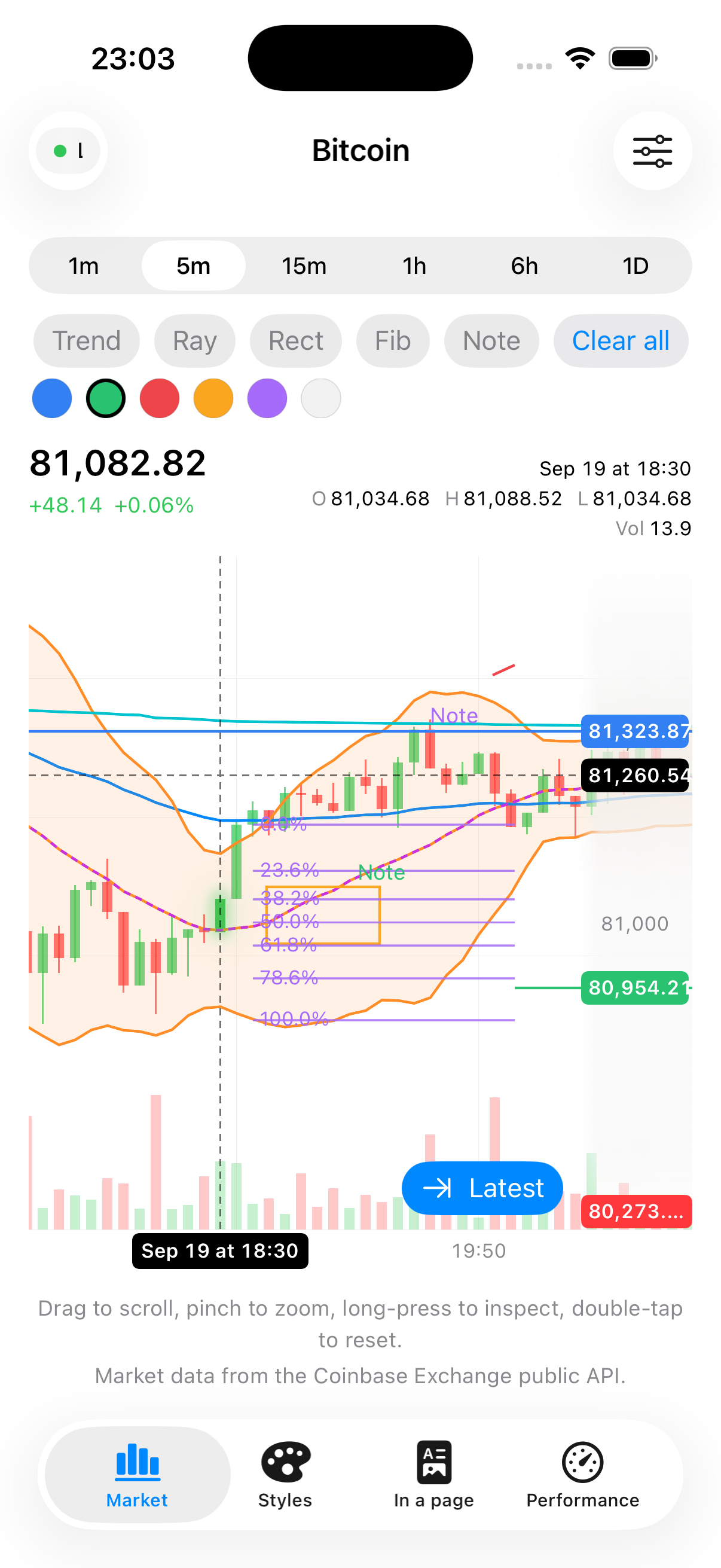
None of this needs any configuration — it's just how a CandlestickChart behaves. What you can
configure is what happens when the user reaches certain interesting moments.
Reacting to the crosshair
CandlestickChart(candles)
    .onCrosshairChange { candle in
        // Called with the long-pressed candle as the finger moves, and `nil` when it lifts.
        selectedCandle = candle
    }
onCrosshairChange(_:) fires with the Candle? under the crosshair — use it to drive your own
detail view or header outside the chart.
Reacting to scrolling into history
CandlestickChart(candles)
    .onReachOldestCandle {
        Task { await loadOlderHistory() }
    }
onReachOldestCandle(_:) fires when the user scrolls near the oldest candle currently loaded — the
signal to go fetch (and prepend) more history. It only fires once per data size, so it won't keep
firing repeatedly while your request is still in flight.
Accessibility
CandleKit takes VoiceOver seriously rather than treating it as an afterthought. The chart exposes
an AXChartDescriptorRepresentable (ChartAccessibility) so VoiceOver users get Apple's built-in
Audio Graphs experience — closing prices played back as pitch, which they can explore
independently of sighted interaction.
When VoiceOver is running, the chart also announces a plain-language summary of what's currently visible, in the form:
"42 candles from Mon 9:30 AM to Mon 4:00 PM. Close $187.42, +1.8% over this range."
— the candle count, the time range on screen, the latest close, and the percent change across the visible range. A VoiceOver user can also swipe up/down (the adjustable action) to page the visible window backward and forward by roughly half a screen of candles at a time, without needing to perform the pan gesture itself.
This accessibility work only runs its more expensive formatting (date/number formatting) while VoiceOver is actually active, so it adds no overhead to ordinary scrolling and zooming.